
Prerna Portal Daily Work Checklist for Teachers Update (2026)
The Prerna Portal is an essential tool for teachers in Uttar Pradesh to manage their daily activities, including attendance, lesson plans, and student progress. This guide provides a daily checklist for teachers to ensure they complete all the required tasks on the portal and maintain smooth operations in the classroom.
By following this checklist, teachers can stay organized, reduce errors, and contribute effectively to the Mission Prerna initiative aimed at improving education quality in the state.
Morning Attendance Marking
Mark Student Attendance:
Log into the Prerna Portal and mark the attendance of your students for the day. Ensure that you record all absences and late arrivals.
Verify Student Enrollment:
If there are any new students or changes in the class, ensure their enrollment is updated correctly on the portal.
Tip:
Regularly check that students’ names and Aadhaar numbers are accurately listed in the system. If any corrections are needed, report them promptly.
You can also read: Mission Prerna Learning Apps for Students Latest Update 2026
Lesson Plan and Classwork Updates
Tip:
Keep your lesson plans and classwork up to date, so your students can access them if they need extra study material.
Monitor Student Progress
Tip:
Regularly monitor students’ progress, especially in foundational skills like reading comprehension and basic math (aligned with NIPUN Bharat goals).
Mid-Day Meal (MDM) Monitoring
Tip:
Pay attention to any health and hygiene issues related to MDM, and report them if necessary to maintain high standards.
Toilet and Hygiene Checks
Tip:
Regularly check the hygiene levels of toilets and water supply for students and ensure the school follows Operation Kayakalp guidelines.
Digital Attendance and Monitoring
Tip:
Double-check data accuracy daily to avoid errors that could affect school performance monitoring.
Participate in Teacher Training (Diksha / Nishtha)
Tip: Regularly participate in training to stay updated on the latest teaching methods, curriculum changes, and best practices.
Review and Submit Reports
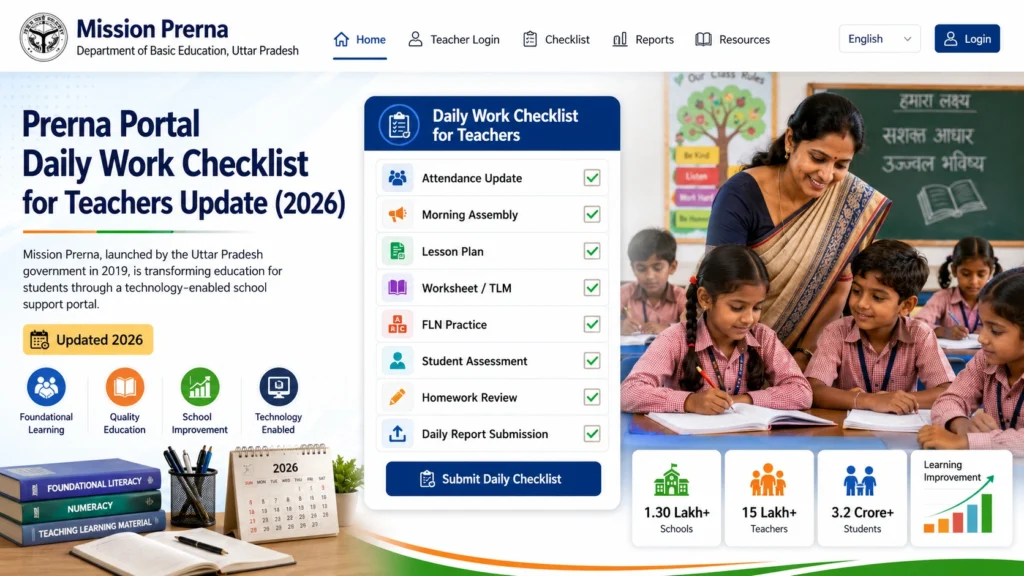
Submit Daily Reports:
At the end of the day, ensure that you’ve submitted all required daily reports on student progress, attendance, and other administrative tasks.
Check for Updates:
Look for any notifications or announcements from the school or department about upcoming activities, exams, or events.
Tip:
Regularly review the portal’s news and updates section to stay informed about important deadlines or events in your school or district.
Student DBT (Direct Benefit Transfer) Updates
Tip:
Ensure that all students who are eligible for DBT schemes are registered properly on the portal.
End-of-Day Checklist
Tip:
Keep a daily log of any issues or observations regarding the portal so that you can address them quickly and efficiently.
FAQs
Conclusion
Using the Prerna Portal effectively ensures that teachers can stay organized, manage their daily tasks smoothly, and contribute to the Mission Prerna initiative aimed at improving educational quality in Uttar Pradesh.
By following this Daily Work Checklist, you can ensure all data is accurate and up-to-date, making school management more efficient and transparent.
If you need more help or have questions, explore the Prerna Portal FAQs or contact the support team for assistance.


