
Prerna Portal School Data Audit Checklist Update (2026)
The Prerna Portal is an essential tool for tracking school progress, attendance, student data, and more. Schools in Uttar Pradesh are required to keep their data updated and accurate on the portal to ensure compliance with state guidelines. This School Data Audit Checklist will help schools ensure their data is correct and ready for inspection.
Why Is Data Auditing Important?
Data auditing is crucial for ensuring that schools maintain accurate records that are:
The audit will help ensure that the Prerna Portal data is accurate, complete, and up to date, making the process of school inspections smoother and more effective.
You can also read: Prerna Portal Photo Upload Rules for Schools Update (2026)
Prerna Portal School Data Audit Checklist
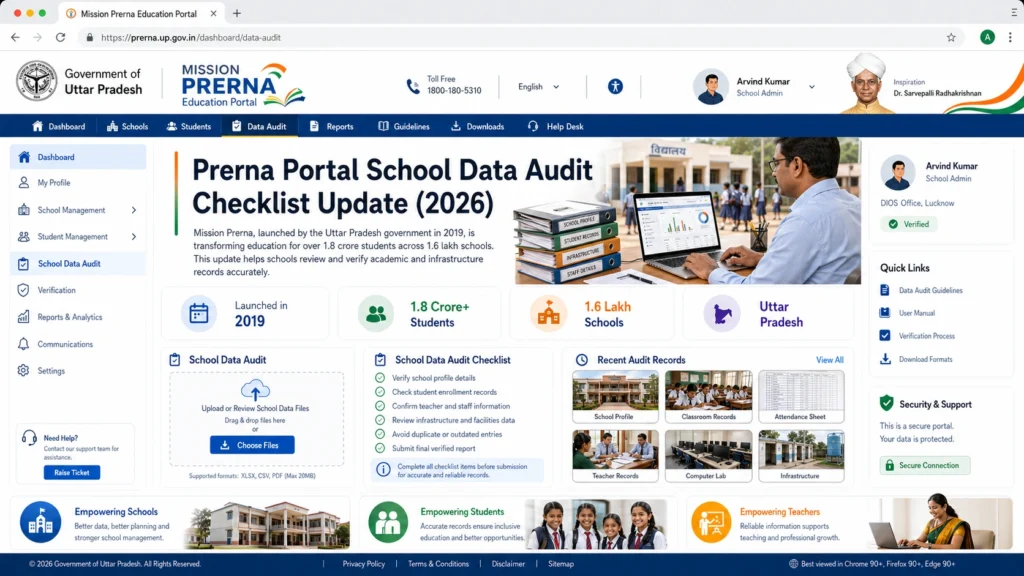
Student Data Verification
Student Enrollment Details:
Verify that the name, date of birth, Aadhaar number, gender, and school name for each student are correctly entered.
Student Attendance:
Ensure that daily attendance data is updated, with all student attendance records accurately submitted.
Promotions:
Verify that students who have passed to the next grade are marked correctly in the system.
Transfer Students:
Confirm that the transfer students’ details (incoming and outgoing) are updated, with appropriate transfer certificates uploaded.
Scholarship and DBT Data:
Ensure that students receiving Direct Benefit Transfer (DBT) are properly enrolled and that the relevant information is entered.
Teacher Data Verification
Teacher Personal Information:
Ensure that the name, qualification, designation, Aadhaar number, and service record of each teacher are up-to-date.
Teacher Attendance:
Verify that teacher attendance records are consistently updated. Teachers should mark their attendance on the portal as required.
Teacher Transfer and Leave Data:
Ensure that any transfer or leave records are correctly updated in the system.
Certification and Training Records:
Verify that all teachers’ certification, training programs, and workshops attended are recorded.
School Infrastructure and Facility Data
Ensure that each classroom’s condition (cleanliness, seating arrangements, blackboard, etc.) is documented.
Verify that photos of toilets, sanitation facilities, and cleanliness are uploaded according to the Prerna Portal rules.
Ensure that details about the playground, sports facilities, and equipment are updated on the portal.
Verify that safety equipment (fire extinguishers, first aid kits, etc.) are listed and the sanitation facilities are updated, including clean drinking water availability.
Financial Data and Schemes
School Performance Data
General Data Consistency
Common Issues and How to Fix Them
Inconsistent or Missing Data
Solution: Cross-check with physical records and ensure that all required fields are filled. If any data is missing, update it before submission.
Incorrect Teacher or Student Data
Solution: Verify the accuracy of personal details like names, dates of birth, Aadhaar numbers, etc. Correct any mistakes by consulting school records.
Photo Upload Issues
Solution: Ensure all required photos (classrooms, toilets, facilities) meet the size and quality requirements outlined in the photo upload rules. Resize or retake photos if needed.
Financial Records Not Updated
Solution: Cross-check the financial data with school accounts and ensure that all government schemes, such as MDM or DBT, are correctly recorded.
Incorrect Student Attendance
Solution: Ensure that student attendance is recorded accurately, including any holidays, sick days, or school breaks.
FAQs
Conclusion
Performing a school data audit on the Prerna Portal is crucial for maintaining accuracy and transparency in your school’s records. By following this checklist, you can ensure that your school complies with Mission Prerna guidelines and has up-to-date, correct data on the portal.
Regular data auditing helps improve school management, aids in inspections, and ensures that the education system in Uttar Pradesh continues to improve.
If you need further help or face any issues while auditing the data, don’t hesitate to refer to the Prerna Portal FAQs or contact the helpdesk for support.


