
Prerna Portal Monthly Work Checklist Latest Update (2026)
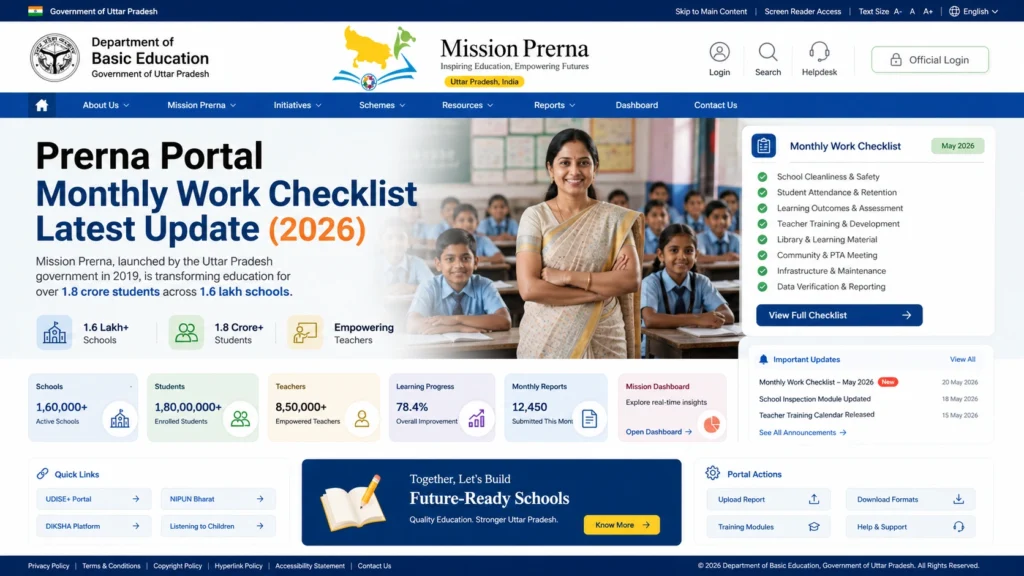
To ensure that all the essential tasks on the Prerna Portal are completed and up to date, teachers and school administrators need to follow a monthly checklist. Regular updates are vital for maintaining transparency, accountability, and smooth operations at your school. This guide will help you stay organized and ensure everything is in place.
Review and Update Student Data
Double-check that all students enrolled in your school are correctly listed on the portal. Update any new admissions or transfers.
Verify that student details like name, date of birth, Aadhaar number, gender, and contact details are accurate.
Update and review students’ progress using the Holistic Progress Report (HPR). Make sure each student’s progress in subjects, foundational literacy, and numeracy is correctly recorded.
Tip:
Ensure all Aadhaar numbers and other sensitive details are correct and verified. Incorrect or missing data may affect eligibility for DBT schemes.
You can also read: Prerna Portal School Data Audit Checklist Update (2026)
Teacher Data Verification
Teacher Enrollment Details:
Verify that all teachers’ information, such as qualification, designation, Aadhaar number, and training records are up-to-date.
Teacher Attendance:
Ensure that teacher attendance data is correctly entered and up-to-date on the portal.
Teacher Training Records:
Check that Diksha and Nishtha training modules completed by teachers are recorded and up-to-date.
Tip:
Regularly update any new certifications or courses completed by teachers to keep their training records current.
Monthly Attendance and Verification
Update Student Attendance:
Go through the attendance records for the month. Ensure every student’s presence or absence is accurately logged.
Correct Attendance Errors:
If there are discrepancies, correct them and make sure all students are accounted for.
Verify Teacher Attendance:
Double-check the teacher attendance records and ensure that all teachers have marked their presence for the month.
Tip:
Regular attendance updates are crucial for both student progress tracking and funding allocation for the Mid-Day Meal (MDM) program.
Mid-Day Meal (MDM) Monitoring
Tip:
Ensure that hygiene and sanitation standards are met and upload photos that show cleanliness and safe food practices.
Facility and Infrastructure Data Review
Toilet and Sanitation Facilities:
Ensure that the data for toilet cleanliness, sanitation, and safe drinking water facilities is updated. If any facilities have been upgraded or repaired, upload the updated photos and make sure they meet the required standards.
Classroom and Playground Photos:
Verify that all relevant photos of the classrooms, playgrounds, and school facilities are uploaded on the portal. Ensure these photos are clear and show the current state of the infrastructure.
Tip:
Regularly review and update photos of school facilities to ensure they are always up to date and accurately represent the current condition of your school.
Student DBT (Direct Benefit Transfer) Verification
Tip:
Make sure to check for any issues related to Aadhaar verification or bank details to ensure students don’t face delays in receiving benefits.
School Performance and Monitoring
Tip:
Use the HPR and NIPUN Bharat reports to track student performance and identify areas of improvement.
Teacher and Student Feedback
Tip:
Regular feedback helps improve the system and ensures it meets the needs of both teachers and students.
Review and Submit Monthly Reports
Tip
Take some time to verify that every section of the portal is complete and accurate before submission to avoid delays or corrections.
End-of-Month Data Backup
Tip:
Make a habit of backing up important data at the end of each month to avoid losing valuable information.
FAQs
Conclusion
Completing the Prerna Portal Monthly Work Checklist is essential for maintaining accurate records and meeting government standards for school infrastructure and student progress. By following this checklist, teachers and school administrators can ensure that they stay organized and contribute to the Mission Prerna initiative effectively.
Make sure to keep your data updated and submitted on time, as it will help improve the education system in Uttar Pradesh and ensure that students receive the quality education they deserve.
If you have any further questions or need assistance, feel free to check the Prerna Portal FAQs or contact the helpdesk for support.


