
When to Contact BEO for Prerna Portal Issues Update (2026)
The Prerna Portal plays a crucial role in managing school data, tracking student progress, and ensuring teacher accountability in Uttar Pradesh. However, there may be times when users (teachers, students, or school administrators) face issues that cannot be resolved at the school level. In such cases, the Block Education Officer (BEO) is an essential point of contact.
This guide explains when and why you should contact the BEO for Prerna Portal issues and how they can help resolve your problems.
What is the Role of a Block Education Officer (BEO)?
A Block Education Officer is an administrative officer responsible for overseeing educational matters in a specific block (a region or subdivision) within a district. The BEO plays a critical role in implementing educational policies, monitoring schools, and ensuring that the Prerna Portal and other educational programs are functioning smoothly at the block level.
You can also read: Prerna Portal Helpdesk and Support Guide Latest Update (2026)
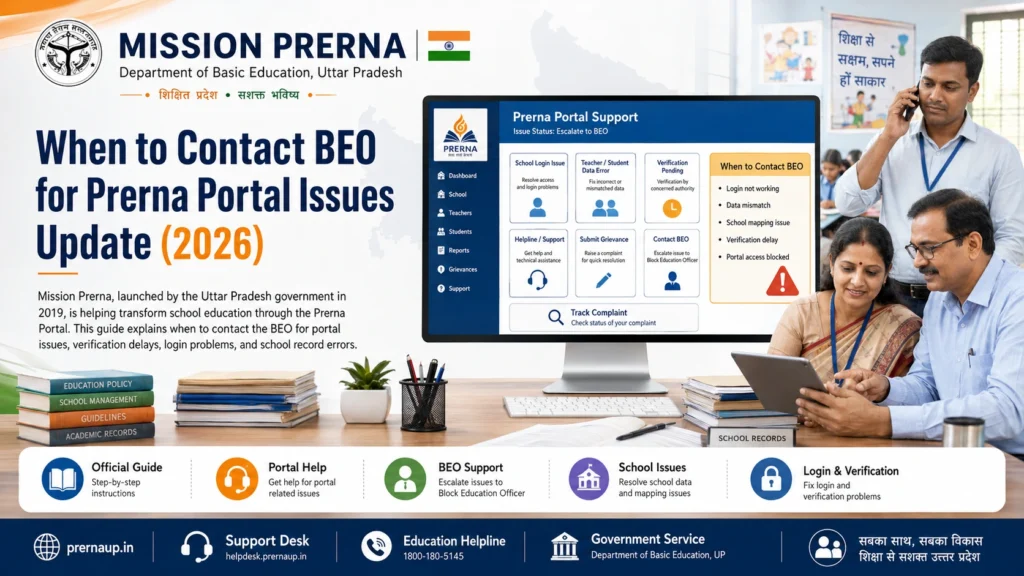
When to Contact the BEO for Prerna Portal Issues
Login Issues and Account Management
If you are unable to access the Prerna Portal due to login problems, you may need to contact the BEO for assistance. This includes issues like:
When to Contact the BEO:
Data Discrepancies or Missing Information
Sometimes, data discrepancies (such as incorrect or missing student records, teacher data, or attendance) may arise in the Prerna Portal. If these issues are not resolved at the school level, the BEO can help ensure that:
When to Contact the BEO:
School Facility Data Issues
The Prerna Portal often requires schools to upload photos and information regarding their facilities, such as classrooms, toilets, and sanitation. If the portal is showing incorrect or incomplete information about school facilities, the BEO can assist with:
When to Contact the BEO:
Student DBT (Direct Benefit Transfer) Issues
If students are eligible for Direct Benefit Transfer (DBT) schemes (such as scholarships or financial aid), but their data is not reflected correctly on the portal, the BEO can assist with:
When to Contact the BEO:
Technical Issues with the Portal
Sometimes, technical problems such as website downtime, data submission errors, or user interface glitches may occur. If these problems persist, the BEO can:
When to Contact the BEO:
Discrepancies in Reporting and Submissions
Teachers and school administrators are responsible for submitting monthly reports on student progress, attendance, Mid-Day Meal data, and more. If these submissions are not reflecting correctly on the Prerna Portal, or if you receive error messages after submitting, the BEO can:
When to Contact the BEO:
General Support and Portal Access Queries
If you encounter general issues such as trouble accessing certain sections of the portal, or need clarification about specific portal features, the BEO can assist with:
When to Contact the BEO:
How to Contact the BEO
Here’s how you can contact your Block Education Officer (BEO) if you need assistance:
Phone:
You can find the BEO’s contact number on your local district education department website or through your school
Email:
It’s typically available for urgent issues.
In-Person:
The BEO’s email address should be available on the official portal or from your school. Use this for non-urgent inquiries or reporting issues.
Support Portal:
In some cases, you may need to submit a support ticket through the Prerna Portal (if the option is available) to escalate the issue.
Tip:
Keep relevant documents or screenshots related to your issue to help the BEO assist you more efficiently.
FAQs
Conclusion
The Block Education Officer (BEO) is a crucial point of contact for resolving Prerna Portal issues. If you encounter problems like login issues, data discrepancies, or technical glitches, contacting the BEO ensures that your concerns are addressed efficiently. Use this guide to identify when to reach out to them, and always keep the Prerna Portal’s helpdesk and support channels handy for quick resolutions.


