
Prerna Portal: TC or Transfer? What to Choose Update (2026)
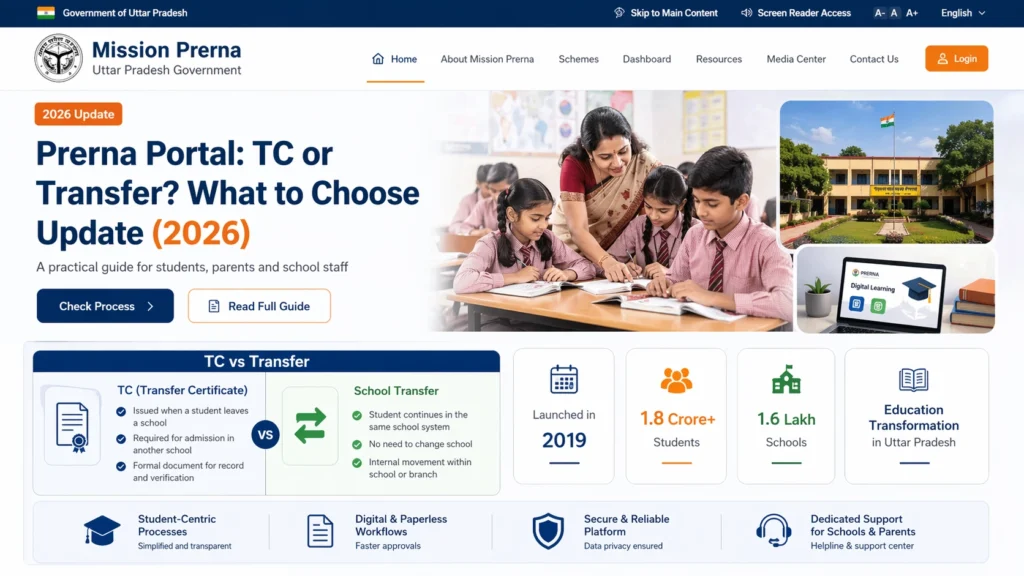
In the Prerna Portal, when dealing with students who are leaving the school, you may come across the terms TC (Transfer Certificate) and Transfer. These terms are often used interchangeably, but they refer to different actions in the context of student records. It’s important to understand what each term means and when to use them. Here’s a simple guide to help you choose the right option when updating a student’s status on the Prerna Portal.

What is a Transfer Certificate (TC)?
A Transfer Certificate (TC) is an official document that certifies a student’s departure from a school. It is issued when a student is leaving the current institution to join another school. This document typically includes the following details:
The TC is required by the new school to finalize the student’s enrollment. It ensures that the student’s previous academic records are transferred and no outstanding dues exist with the former school.
You can also read: Prerna Portal Aadhaar Verification Fix Guide Update (2026)
When Should You Choose Transfer Certificate (TC)?
You should choose the Transfer Certificate (TC) option when a student is leaving the school for one of the following reasons:
In such cases, you need to:
What is Transfer in the Prerna Portal?
In the Prerna Portal, the term Transfer refers to the action of moving a student’s academic records from one school to another within the same educational system. This is typically done when:
When Should You Choose Transfer?
You should choose the Transfer option when:
In this case, the student’s details will be transferred, and they will be enrolled in the new school without the need for the formalities of a TC document.
Key Differences Between TC and Transfer
| Feature | Transfer Certificate (TC) | Transfer |
|---|---|---|
| Purpose | Issued when a student is leaving to join a new school | Used when a student is moving to another school within the same system |
| New School | Typically different school (different district, state, or board) | Same educational network, within same district or state |
| Document | Formal certificate that serves as a proof of departure | Internal record update, no formal certificate issued |
| Required for Admission | Yes, needed by the new school for admission | Not required, just an internal record transfer |
| Records Update | Student’s records are archived and marked as completed | Student’s records are transferred to the new school’s database |
FAQs
Conclusion
Choosing the correct option between Transfer Certificate (TC) and Transfer on the Prerna Portal is crucial for maintaining accurate student records. If the student is leaving for a different school, you need to issue a TC. If the student is just transferring within the same educational system, updating the transfer record will suffice.
By understanding the differences and selecting the correct option, you’ll ensure a smooth process for both students and school administrators.


