
Mission Prerna for Parents: What to Use Latest Update (2026)
Mission Prerna is a state-driven initiative by the Uttar Pradesh government aimed at improving education quality and creating better learning environments in schools across the state. The Prerna Portal is an essential tool for teachers, students, and parents, providing access to valuable resources for improving student progress and school facilities.
As a parent, you can play an important role in supporting Mission Prerna by staying connected to your child’s educational progress and utilizing the tools available on the Prerna Portal. This guide will explain the resources and features of the portal that are particularly useful for parents.
What Is Mission Prerna?
Mission Prerna is an initiative designed to improve learning outcomes and school infrastructure in Uttar Pradesh’s government schools. It focuses on enhancing foundational literacy, numeracy, and overall student well-being.
The mission includes various programs aimed at ensuring that children receive quality education, including NIPUN Bharat (National Initiative for Proficiency in Reading with Understanding and Numeracy), mid-day meals, and better school facilities.
You can also read: Prerna Portal Student Corner Guide Latest Update (2026)
How Mission Prerna Benefits Parents
Mission Prerna provides parents with multiple tools and resources to support their child’s education:
Progress Tracking:
Parents can monitor their child’s academic progress through Holistic Progress Reports (HPR), which show performance in key subjects.
Learning Materials:
The Prerna Portal provides access to learning resources such as textbooks, study guides, and videos, which can be used by both students and parents to support at-home learning.
School Safety and Hygiene:
Mission Prerna ensures schools maintain cleanliness and safety for students. Parents can track the condition of school facilities, including toilets, drinking water, and sanitation.
Direct Benefit Transfers (DBT):
Parents can stay updated on any government schemes related to scholarships or financial aid that their children are eligible for.
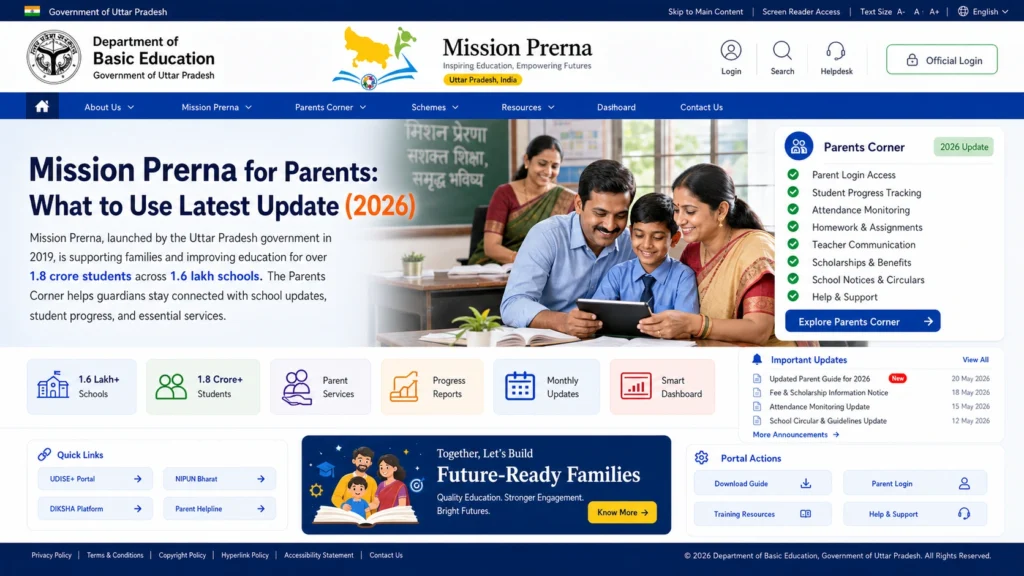
Features of the Prerna Portal for Parents
Holistic Progress Report (HPR)
The HPR is a detailed report that provides an overview of a student’s academic performance. It includes assessments in literacy, numeracy, and overall academic development.
How to Access the HPR:
Tip: Discuss the HPR with your child to help them set learning goals and address areas that need improvement.
Learning Materials for Students
Mission Prerna provides a wide range of learning materials that parents can use to support their child’s education at home.
Textbooks:
Digital copies of textbooks are available on the Prerna Portal for easy access.
Interactive Lessons:
Videos, quizzes, and games designed to make learning fun and interactive.
Assignments and Homework:
Parents can view the assignments and homework assigned to their child and help them complete them on time.
How to Use the Learning Materials:
Tip: Set aside some time each day for your child to go through the learning materials. Encourage them to review video lessons and take quizzes for additional practice.
Mid-Day Meal (MDM) Monitoring
Mission Prerna ensures that Mid-Day Meals (MDM) are provided to students to improve their nutrition and overall well-being. As a parent, you can track whether your child is receiving the meal and whether the standards are being met.
How to Track MDM:
Check Attendance:
Ensure your child’s attendance is correctly recorded on the Prerna Portal for MDM tracking.
Verify Meal Distribution:
The portal may show the number of students who received meals, so parents can verify that their child is included.
Tip: Stay updated on the quality of meals and encourage your child to share feedback about the meals they receive at school.
School Facilities and Hygiene Monitoring
As a parent, you can track school facilities, ensuring they are maintained properly under Mission Prerna’s guidelines. The portal allows parents to see photos and updates on toilets, playgrounds, and safety measures.
How to Access Facility Updates:
Tip: Discuss the importance of school hygiene with your child to encourage them to follow safe practices at school.
Government Schemes and Financial Aid (DBT)
Mission Prerna also involves the Direct Benefit Transfer (DBT) program, which allows eligible students to receive financial aid and scholarships. Parents can track if their child is registered for any DBT schemes on the Prerna Portal.
How to Monitor DBT:
Tip: Stay informed about new scholarships and financial aid that may become available to help with school-related expenses.
FAQs
Conclusion
Mission Prerna aims to create a better educational environment for students in Uttar Pradesh. As a parent, the Prerna Portal offers you easy access to important information about your child’s academic progress, learning resources, school facilities, and government schemes. By regularly checking the portal, you can stay connected to your child’s educational journey and ensure they are receiving the support they need.
If you have any questions or need further assistance, explore the Prerna Portal FAQs or contact the school administration for more information.


