
Prerna Portal School Inspection Update Guide (2026)
If you’re a teacher, school admin, or parent in Uttar Pradesh, you might be hearing about school inspection updates through the Prerna Portal more often. The good news? The government now has tools to make inspections easier and clearer for everyone — and this guide explains them simply.
Let’s break it down in plain words, step by step.
What Is the Prerna Portal?
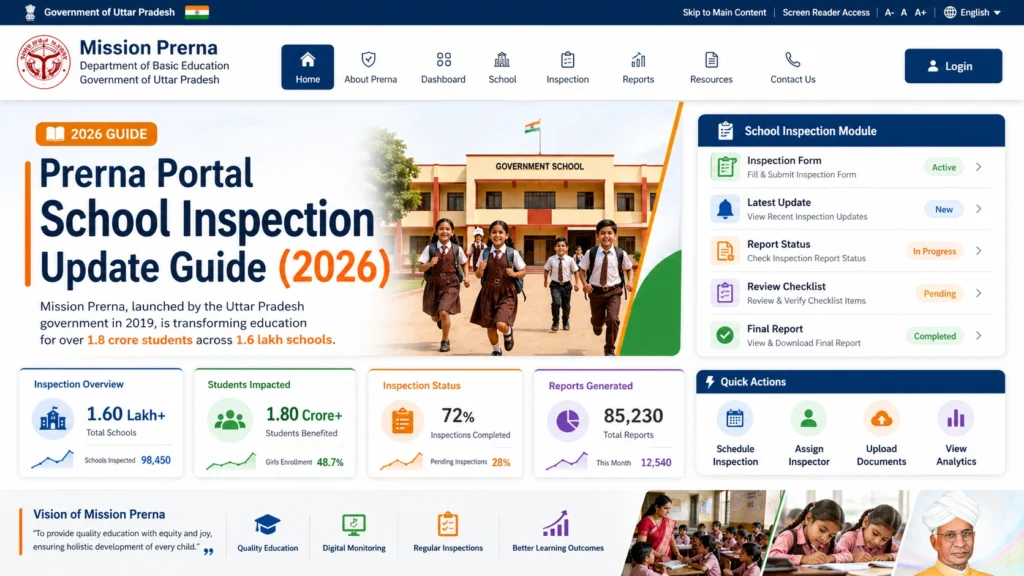
The Prerna Portal is the online platform the Uttar Pradesh Basic Education Department uses for many school-related tasks — from student registration and learning material to attendance and inspection. This is part of Mission Prerna, a state program aimed at improving education quality in over 1.6 lakh schools.
Think of it as the official dashboard where teachers and officials manage classroom progress, student data, attendance, and much more.
You can also read: Prerna Portal Geofencing Attendance Guide 2026 (Step-by-Step)
New: School Inspection Made Easy
Inspections used to be paper-based, slow, and confusing. Now, the Prerna Inspection UP app helps officials do school reviews digitally, using predefined checklists and parameters. This makes inspection smooth and consistent.
What the Inspection App Does
Basically, no more long paperwork — everything is on your phone and online.
How the Prerna Inspection App Benefits Teachers and Schools
One of the biggest advantages of this system is how it benefits teachers and school administrators:
How to Use the Inspection App
Here’s a quick overview of how it works:
Download the App
Search for “Prerna Inspection UP” on the Google Play Store and install it.
Sign In
Use your official credentials (usually provided by your school or education office).
Follow the Checklist
The app guides you with predefined points — like building safety, attendance records, classroom environment, teaching materials, etc.
Submit the Report
Submit digitally straight from the app. No printing, no forms.
Tip: Make sure your phone has a stable internet connection before uploading reports.
Common Areas of Inspection in Schools
Prerna Portal’s inspection app covers various aspects of a school’s functioning. Here are some of the common areas it evaluates:
Classroom environment
Is the classroom clean and organized?
Teacher preparedness
Are teachers following the curriculum effectively?
Student attendance
Are attendance records being properly maintained?
Safety measures
Are safety protocols for students followed?
Hygiene facilities
Are there clean toilets and drinking water?
Quick Tips to Avoid Problems
Always keep your login details safe
Do not share OTPs or passwords.
Update the app regularly
New features and bug fixes help smooth inspections.
Save your work offline first
If internet is slow, complete data offline and submit later.
Check notifications
The portal may send updates about deadlines or new inspection criteria.
FAQs
Conclusion
The Prerna Portal School Inspection update is not just an app — it’s a shift toward easier, fairer, and faster school reviews.
Whether you’re a teacher preparing for your first inspection or an official submitting reports, this guide should make things clearer.
If you want a step-by-step how-to on logging into the portal or student and teacher tasks, I can write that too!


