
Prerna DBT Failed Payment: Reasons & Fixes Latest Update 2026
Prerna DBT payments can fail for several reasons like wrong bank account number, incorrect IFSC code, Aadhaar mismatch, or pending verification. Teachers and school staff can fix most issues by carefully checking student and guardian details, re-uploading correct bank info, and verifying Aadhaar where required.
What Is Prerna DBT Payment?
You can also read: Prerna Portal Bank Data Upload: Full Process (Update 2026)
Common Reasons for Failed Prerna DBT Payments
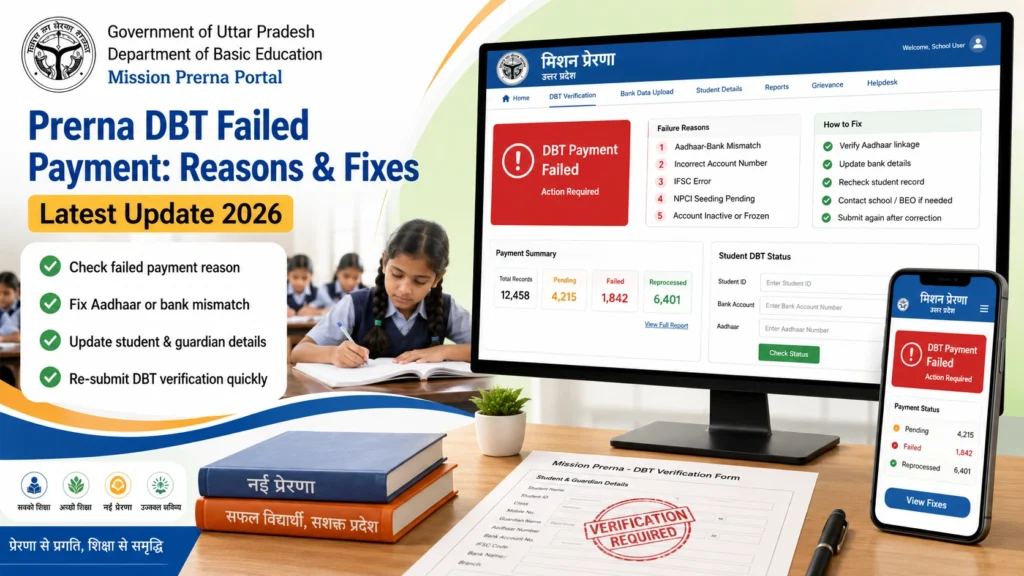
- If the account number entered is wrong or doesn’t match the guardian’s bank records, DBT payment will fail.
- Fix: Double-check the account number with the passbook or official bank statement.
- A wrong IFSC code prevents the payment from reaching the bank.
- Fix: Verify IFSC from your bank’s official website or passbook. Avoid guessing.
- If the guardian’s Aadhaar number does not match the details in the portal (name, gender, or DOB mismatch), payment fails.
- Fix: Correct the student/guardian Aadhaar details in the portal and re-verify.
- Payments cannot be processed if the bank account is closed or inactive.
- Fix: Update the guardian with an active account or open a new account and update in the portal.
- Sometimes duplicate student or guardian records cause DBT payment rejection.
- Fix: Delete duplicate entries or merge them according to the Prerna Portal instructions.
- If the student or bank details are not approved by the Block Education Officer (BEO) or the school admin, payments may be pending or failed.
- Fix: Contact the BEO or school admin to approve pending entries.
- Sometimes OTP verification fails during bank data upload, causing incorrect or incomplete submissions.
- Fix: Use the registered mobile number, wait for OTP, and do not refresh repeatedly. Contact the school IT support if the OTP doesn’t arrive.
- आप जानकारी डाउनलोड भी कर सकते हैं, अगर आक इसकी जरूरत हो।
Session or Class Mismatch
- Uploading data in the wrong academic session or class can result in DBT failures.
- Fix: Always select the correct academic session 2026–27 and class while entering data.
Step-by-Step Fix Guide
Tip: Always use the official portal to avoid fake websites. Never share OTP or password.
How to Check DBT Payment Status
Tips to Avoid DBT Payment Failure
FAQs
Conclusion
Prerna DBT payment failures are usually caused by incorrect bank details, Aadhaar mismatch, or pending approvals. Teachers and school staff can fix these issues by carefully checking details, verifying Aadhaar, ensuring BEO approval, and using the official portal.
Following the simple steps above can save a lot of time, reduce errors, and ensure students and guardians receive benefits on time.


