Prerna Portal UP Login 2026: Full Teacher Guide Latest Update
Prerna Portal UP is an online platform by the Department of Basic Education, Uttar Pradesh. It helps teachers, students, and school staff access important education services in one place. On the official portal, teachers can find options like Teacher Login, Student’s Corner, Teacher’s Corner, Bank Data Upload, User Manual, DBT verification manual, learning material, and new registration. The official login page also shows Teacher SignUp / New Registration 2026-27, which is important for teachers using the portal in the current academic session.
Mission Prerna is mainly focused on improving basic education in Uttar Pradesh government schools. According to the official portal, the mission works to improve learning quality in about 1.6 lakh schools, with special focus on reading, understanding, and basic maths skills for children.
This guide explains the Prerna Portal UP login process in simple words. You will also learn about teacher registration, DBT login, forgot password, OTP issues, mobile number problems, and the difference between Prerna UP and Prerna DBT apps.
What is Prerna Portal UP?
Prerna Portal UP is the official digital platform for Mission Prerna and Basic Education Department services in Uttar Pradesh. Teachers can use it for school-related work, student data, DBT-related tasks, bank data upload, learning resources, and official manuals.
The portal is not just for login. It also has sections like:
These options are visible on the official Prerna UP portal.
You can also read: Prerna Portal Certificate Download Guide Latest Update 2026
How to Login to Prerna Portal UP?
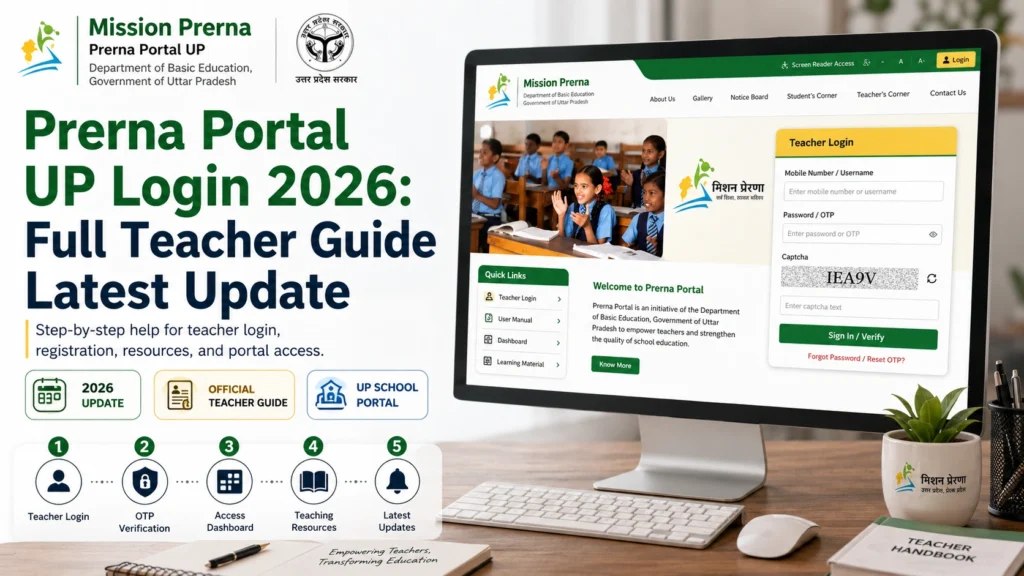
To login to Prerna Portal UP, visit the official Prerna UP portal, open the login page, enter your username and password, verify the captcha, and click proceed. If you are using teacher signup, select the login type, enter your registered mobile number, verify the authentication SMS or OTP, and continue.
The official page includes fields for User Name, Password, Forgot Password, Captcha, Authentication SMS Verification, Mobile Number, and Teacher SignUp.
Prerna Portal UP Teacher Login 2026: Step-by-Step Process
Follow these steps carefully:
Step 1: Open the official portal
Go to the official Prerna UP portal. Always use the official government portal to avoid fake login pages.
Step 2: Click on Login or Teacher Login
On the homepage, you will see login-related options. Teachers may also find login options under Bank Data Upload or Teacher Login.
Step 3: Enter username and password
Fill in your username and password correctly. Check spelling, spaces, and capital letters before submitting.
Step 4: Complete captcha
Enter the captcha shown on the page. If it is not clear, refresh the captcha and try again.
Step 5: Click Proceed
After entering all details, click on Proceed.
Step 6: Complete SMS or OTP verification
Some login actions may ask for mobile number and authentication SMS verification. Enter the OTP received on your registered mobile number.
Prerna Portal New Registration 2026-27
The official Prerna UP login page shows Teacher SignUp and New Registration 2026-27. This means teachers working in the current session should check the new registration option if they are not already registered or if their school has asked them to complete a fresh process.
For new registration, you usually need:
Tip: Use the same mobile number that is linked with your official school or department record. If the portal says your mobile number is not registered, contact your school head, BRC, or concerned department officer.
Prerna DBT Login 2026-27
Prerna DBT is separate from the main Prerna Portal login. It is used for Direct Benefit Transfer-related work. The official DBT portal shows login fields like UserName, Password, Forgot Password, Academic Session 2026-27, Captcha, and Authentication SMS.
Teachers may use the DBT portal for student-related DBT work, verification, and data checking.
How to login to Prerna DBT portal
Tip: Select the correct academic session before submitting. Many login and data issues happen because the wrong session is selected.
Prerna Portal Forgot Password
If you forgot your Prerna Portal password, do not panic. The official login page has a Forgot Password option. It asks for your registered mobile number and captcha verification.
Steps to recover password
Tip: Keep your registered mobile phone with you before starting the process.
Common Prerna Portal Login Problems and Fixes
of the most common problems.
Try these fixes:
- Check mobile network.
- Wait for a few minutes.
- Do not click OTP again too many times.
- Check if your registered mobile number is active.
- Restart your phone.
- Try again during non-peak hours.
If OTP still does not come, your number may not be updated in the department record.
If the portal says your mobile number is not registered, it means the number you entered does not match the official record.
What you can do:
Contact BRC or the concerned department office.
Check if you typed the number correctly.
Try your official registered mobile number.
Ask your school head to verify your record.
Captcha errors happen when the entered text does not match the image.
Try this:
Clear browser cache.
Refresh captcha.
Type exactly as shown.
Avoid extra spaces.
Use a different browser.
password is not accepted:
- Check capital letters.
- Remove extra spaces.
- Use forgot password.
- Try again after some time.
Do not share your password with anyone.
Sometimes the portal may be slow because many teachers are using it at the same time.
Try these simple fixes:
Check if the official portal is under maintenance.
Use Chrome browser.
Clear cache.
Try mobile data instead of Wi-Fi.
Try again in the morning or evening.
Prerna UP App vs Prerna DBT App
Many teachers get confused between the Prerna UP app and the Prerna DBT app. Both are different.
Prerna Uttar Pradesh App
The Prerna Uttar Pradesh app is for teaching and para-teaching staff of primary and upper primary schools. It is related to attendance monitoring, Mid Day Meal monitoring, and Operation Kayakalp data submissions. The Google Play listing shows it was updated on May 1, 2026.
Prerna DBT App
The Prerna DBT app is also for teaching and para-teaching staff, but it is related to student enrollment data submissions. The Google Play listing shows it was updated on 17 April 2026.
Simple difference
Use Prerna Uttar Pradesh App for attendance, MDM, and Kayakalp work.
Use Prerna DBT App for student enrollment and DBT-related data work.
Important Tips for Teachers
Here are some quick tips to avoid login and data problems:
Who Can Use Prerna Portal UP?
Prerna Portal UP is mainly useful for:
Students can use the Student’s Corner section for learning material, E-Pathshala, posters, charts, and related resources shown on the portal.
Is Prerna Portal UP Safe?
Yes, the official Prerna UP portal belongs to the Department of Basic Education, Government of Uttar Pradesh, and is managed by UPDESCO, according to the official portal footer.
Still, teachers should be careful. Do not enter login details on fake websites. Do not share OTP, password, Aadhaar details, or bank details with unknown people.
Why This Guide Is Updated for 2026
Many older articles still talk about 2023 or only explain basic Mission Prerna login. Some competitor pages cover teacher login and student registration, but they are older and do not focus much on current 2026-27 login, DBT session, OTP problems, app differences, and real teacher issues. One competitor article, for example, is still framed around “Mission Prerna UP 2023.”
This guide is made more useful by covering what teachers actually search for now:
Google also recommends creating helpful, reliable, people-first content and using words people actually search for in important places like the title and headings.
FAQs
Conclusion
Prerna Portal UP is an important platform for teachers and schools in Uttar Pradesh. In 2026, teachers may need it for login, new registration, DBT work, student data, bank data upload, learning resources, and official updates.
The best way to avoid problems is simple: use the official portal, keep your mobile number updated, select the correct academic session, and never share OTP or password with anyone.
If the portal is slow or OTP is not coming, wait for some time and try again. If your mobile number is not registered, contact your school head, BRC, or department office.


